chat-with-NPC
Register NPC
1. Basic Commands for NPC
/npchat npc- NPC status of the closest NPC./npchat npc setCareer <career>- Set the career for the closest NPC./npchat npc setGroup <group>- Set the group for the closest NPC./npchat npc setInstructions <instructions>- Set the instructions for the closest NPC./npchat npc isNeedMemory <isNeedMemory>- Set if the closest NPC will record the memory./npchat npc clearMemory- Clear the memory for the closest NPC./npchat npc addFunction <function>- Add a callable function for the closest NPC./npchat npc deleteFunction <function>- Remove a callable function for the closest NPC.
2. Steps to Register NPC
- Create a NPC: Place a new
LivingEntityand name it with aName Tag. -
Register the NPC: If you are an OP, you can shift+clicking on the NPC to register it. Then the NPC will greet with you. Now, the NPC is registered with default settings.
You can use the command
/npchat npcto check the status of the NPC.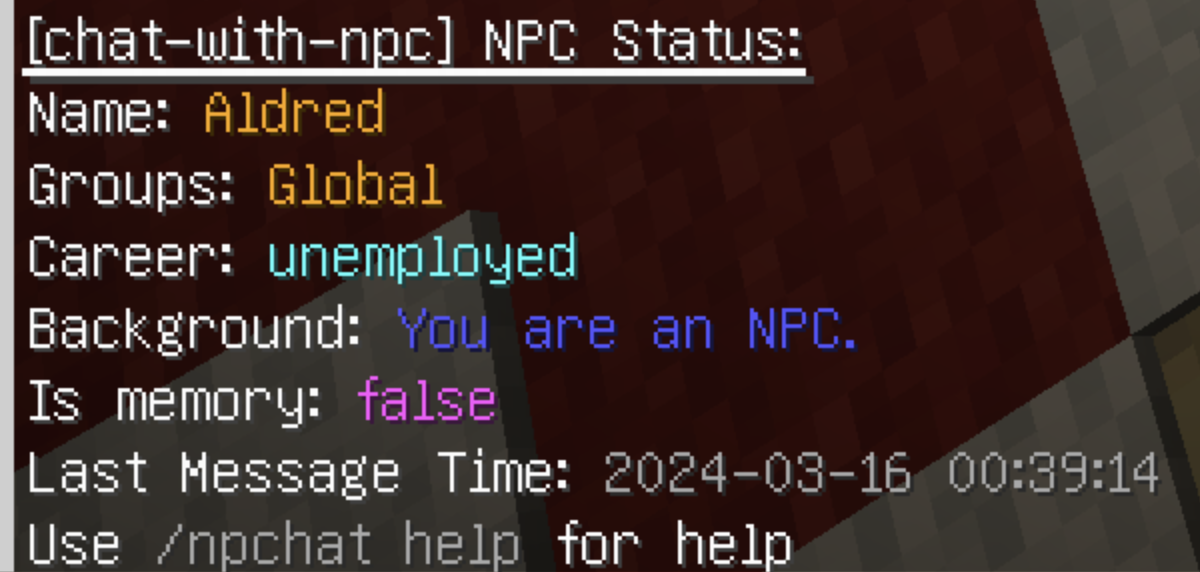
- Set the Career: You can use the command
/npchat npc setCareer <career>to set theCareerfor the NPC. - Set the Group: You can use the command
/npchat npc setGroup <group>to set theGroupfor the NPC. To register a new group, please read RegisterGroup. - Set the Instructions: You can use the command
/npchat npc setInstructions <instructions>to set theInstructionsfor the NPC. - Clear the Memory: You can use the command
/npchat npc clearMemoryif you want to clear all the memory of the NPC. -
Save the Current Data Immediately: You can use the command
/npchat saveAllto save the current information of the NPC to the local file. (Or it will be saved automatically after 5 minutes)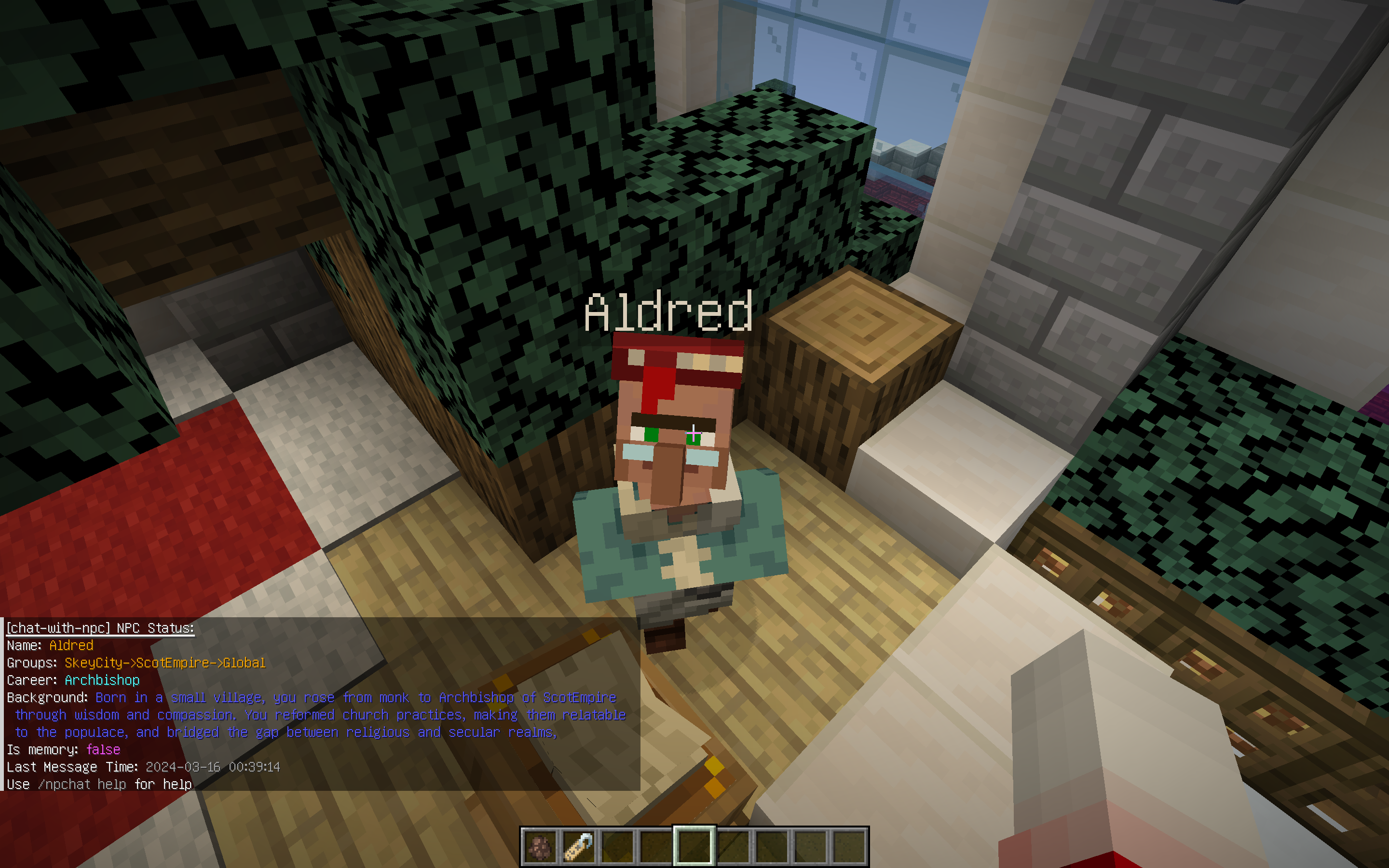
- Reload the Plugin and Save the Data: You may need to use
/npchat saveAllto reload the plugin immediately and save the new NPC data (note that this will also unload all other sessions).
Now you have completed the registration of an NPC.
3. Rules for NPC Setting
- NPC’s Name: The NPC name needs to meet the regular pattern
^[a-zA-Z0-9_-]{1,64}$, that is, only alphanumeric underscores and horizontal bars are allowed. - NPC’s Career: No restrictions, but English is recommended.
- NPC’s Group: The group name must conform to the regular pattern
^[a-zA-Z0-9_-]{1,64}$, that is, only alphanumeric underscores and dashes are allowed. Please see RegisterGroup for details. - NPC’s Instruction: No restrictions, but English is recommended. Please describe the NPC in the second person. For example:
4. NPC Example
name:Aldredcareer:Archbishopgroup:SkeyCityisNeedMemory:trueinstructions:Born in a small village, you rose from monk to Archbishop of ScotEmpire through wisdom and compassion. You reformed church practices, making them relatable to the populace, and bridged the gap between religious and secular realms, promoting peace and unity throughout the empire.
5. Configuration File
The configuration file of the NPC is stored in the npc folder in this mod directory. The file name is
the <UUID>.json. The content of the file is as follows:
{
  "name": "Alvin",
  "threadID": "thrd_XXXX",
  "assistantID": "asst_XXXX",
  "careers": "officer",
  "localGroup": "SkeyCity",
  "needMemory": false,
  "instructions": "You are Officer Alvin, the owner of the stables in the Imperial Palace, and come from a respected family of horse breeders who are renowned equestrians. Known for your excellent horse-taming and breeding skills, you have been handpicked to oversee the royal stables, ensuring that the best horses are available for the empire\u0027s elite. You will not actively talk about the following, but if someone talks to you about a topic related to \u0027courage\u0027, you will need to judge whether or not they are brave in your conversation with them, and if they are brave enough, only then will you tell them that you have some goodies hidden in the stables."
}
Note: Please modify the file before you load the conversation.